Every year, hundreds of workers suffer serious injuries because machinery is accidentally re-energized during maintenance. The root cause? Incomplete, inconsistent, or missing lockout tagout (LOTO) documentation. A properly filled LOTO documentation form isn’t just paperwork—it’s a legal safeguard, a safety audit trail, and a real-time protection mechanism for your maintenance team.
Yet too many companies treat these forms as generic checklists, filling them out after the fact or using outdated templates that don’t reflect actual workflows. The result? Gaps in accountability, weak enforcement, and avoidable risk.
This guide cuts through the noise. You’ll learn what makes a LOTO documentation form effective, how to structure it for maximum clarity, and practical examples that reflect real-world maintenance scenarios.
Why LOTO Documentation Forms Matter Beyond Compliance
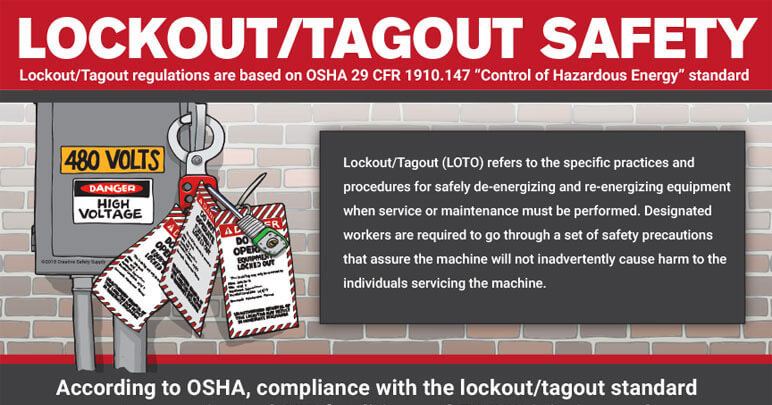
OSHA 1910.147 requires employers to have an energy control program, including written procedures and documentation. But compliance is the floor—not the goal.
Effective LOTO documentation forms serve three critical functions:
- Prevent Accidents – They clearly outline which energy sources are isolated and who controls the locks.
- Enable Accountability – Every action is time-stamped and signed, creating a chain of responsibility.
- Support Audits & Training – Completed forms serve as training tools and evidence during safety inspections.
Without proper documentation, even the most rigorous LOTO procedure can fail at the point of execution.
“We had the locks. We had the tags. But no one documented who removed which lock. That’s how a conveyor restarted mid-maintenance.” — Plant Safety Manager, Midwest manufacturing facility
This kind of breakdown happens when documentation is treated as an afterthought.
Key Elements of a Strong Lockout Tagout Documentation Form
A generic form won’t stop an accident. Your documentation must be specific, actionable, and easy to follow under pressure. Here’s what every high-performing LOTO form should include:
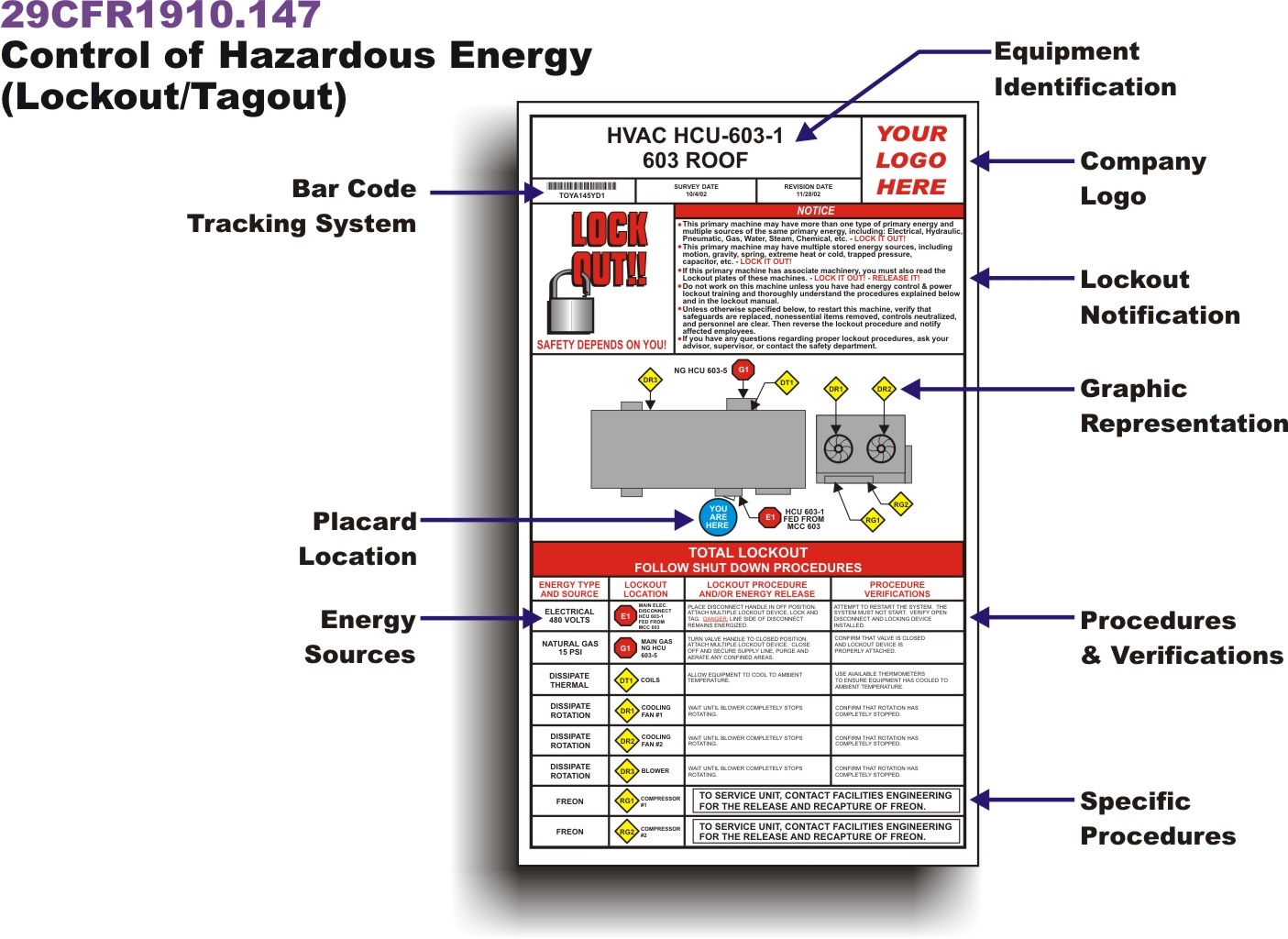
1. Equipment Identification
- Machine name
- Location (building, line, station)
- Unique ID or asset number
Why it matters: You can’t lock out what you can’t identify. A “pump motor” is too vague. “Pump Motor #4A – North Cooling Line – Asset PMP-221” is clear.
2. Authorized Personnel Section
- Name and signature of the person performing LOTO
- Contact information
- Date and start time
This section creates ownership. Only authorized employees should initiate LOTO, and their identity must be verifiable.
3. Energy Source Inventory List every type of energy involved:
- Electrical (voltage level)
- Hydraulic
- Pneumatic
- Thermal
- Chemical
- Gravitational
Each source should have a corresponding lock/tag number and isolation point (e.g., “Circuit Breaker CB-12, Panel B”).
4. Lock and Tag Placement Log A table or checklist showing:
- Lock number
- Assigned employee
- Isolation point
- Verification method (e.g., “Tested with multimeter”)
This prevents “ghost locks” — locks applied without documentation or verification.
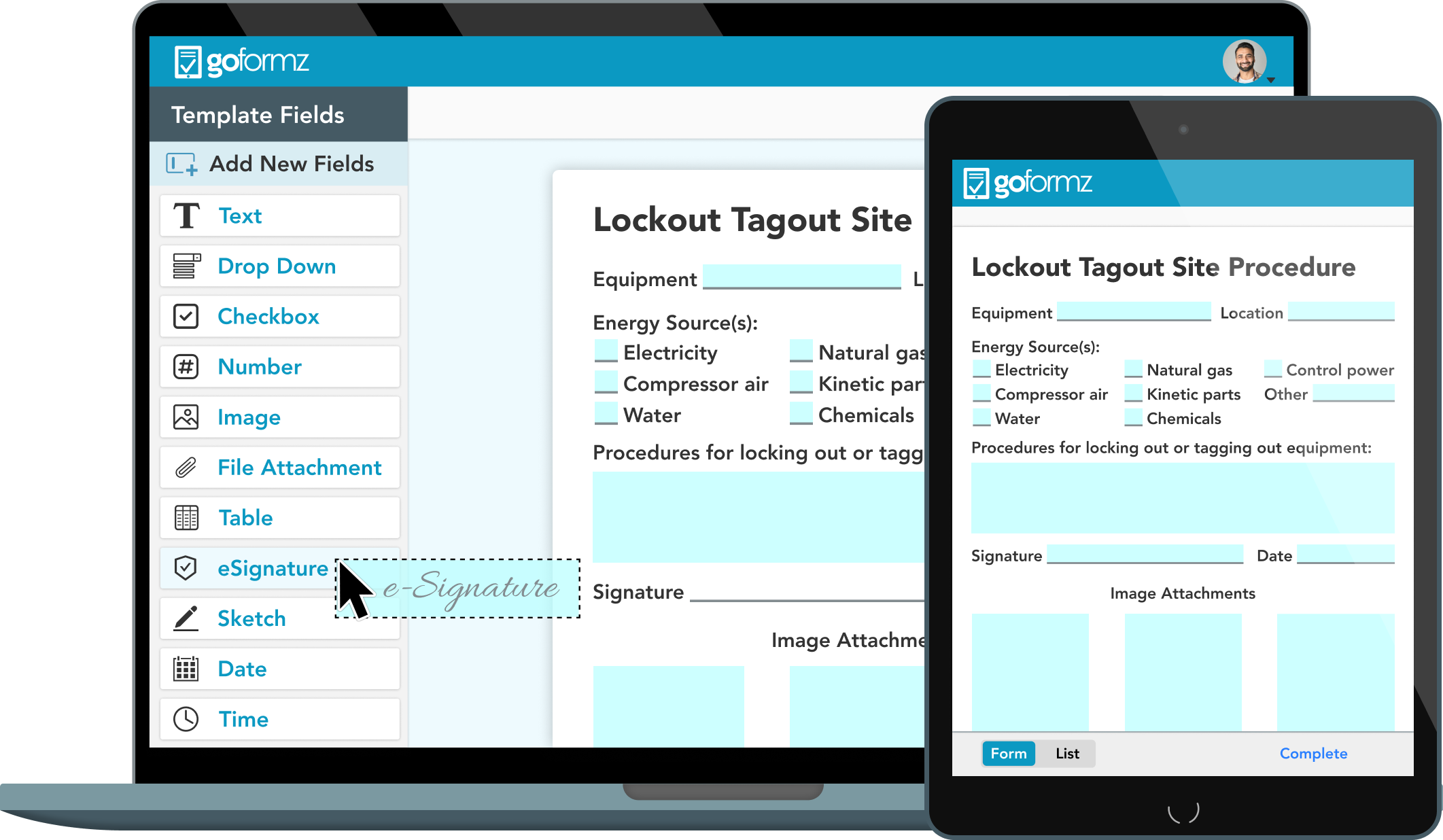
5. Verification of Zero Energy A dedicated space for confirmation that the machine cannot start: - “Attempted startup test performed” - “No movement or energy detected” - Initials of verifying technician
This is where many forms fall short. Documenting the attempt to restart proves the system is truly de-energized.
6. Removal and Re-energization Record
- Who removed each lock
- Time and date
- Final clearance checklist
No lock should ever be removed without documented approval and recheck.
Common Mistakes That Undermine LOTO Documentation
Even experienced teams make errors that compromise safety. Watch for these red flags:
❌ Using a One-Size-Fits-All Template A single form for all equipment ignores critical differences in energy sources and isolation points. A CNC machine requires different handling than a chemical valve.
Fix: Customize forms by equipment type or risk level.
❌ Backdating or Pre-Filling Forms Filling out a LOTO form before the work begins defeats the purpose.
Fix: Treat documentation like a live log—complete each section as the step is performed.
❌ Missing Verification Sign-Off Technicians lock out equipment but skip the “test for zero energy” step. Without proof, the form is incomplete.
Fix: Make verification a mandatory field—non-negotiable.
❌ Poor Form Accessibility Paper forms locked in an office or buried in a digital folder won’t be used on the shop floor.
Fix: Print laminated copies near equipment or use mobile-friendly digital forms.
Real-World Example: LOTO Documentation in Action
Scenario: A packaging line jam requires clearing a conveyor drive.
Equipment: Conveyor System CX-7, Production Line 3 Hazard: Electrical (480V), mechanical, pinch points
The technician pulls up the LOTO form and completes the following:
| Section | Entry |
|---|---|
| Equipment | CX-7 Conveyor – Line 3 – Asset CVY-703 |
| Authorized Employee | J. Rivera (ID: EMP-442), Ext. 512 |
| Energy Sources | Electrical (480V), Mechanical (drive belt) |
| Isolation Points | Disconnect switch DS-7B, Lockout Station #3 |
| Locks Applied | Lock #L704 (Rivera), #L705 (Supervisor) |
| Verification | Attempted start via control panel – no response |
| Time Started | 10:15 AM |
| Sign-off | “Zero energy confirmed. Safe to proceed.” – J. Rivera |
After completing repairs, Rivera verifies all tools are clear, notifies the team, and only then removes locks—documenting each removal with time and initials.
This level of detail transforms the form from a compliance checkbox into a living safety record.
Digital vs. Paper LOTO Documentation: What Works Best?
The debate isn’t about technology—it’s about reliability and adoption.
| Factor | Paper Forms | Digital Forms |
|---|---|---|
| Accessibility | On-site, no tech needed | Requires tablet/device |
| Real-time Updates | No | Yes—syncs across teams |
| Audit Trail | Manual filing, prone to loss | Automated logs, cloud storage |
| Integration | None | Can link to CMMS, ERP |
| Training Use | Limited | Exportable for reviews |
Bottom line: Digital forms win for large or distributed teams. They reduce errors, enable remote audits, and integrate with maintenance systems. But they only work if the tech is reliable and user-friendly.
For smaller shops, paper forms with strict control (e.g., numbered, signed out, returned) can be just as effective—if rigorously enforced.
Top 5 Digital Tools for LOTO Documentation Management
If you’re moving toward digital LOTO documentation, these platforms deliver real value:
- EHS Insight
- - Cloud-based LOTO module with customizable forms
- - Mobile app for on-the-floor use
- - Audit trail and OSHA-ready reporting
- VelocityEHS (formerly MSDSonline)
- - Integrated safety management system
- - Pre-built LOTO templates
- - Workflow approvals and reminders
- SiteMax by SafetyCulture
- - Mobile-first platform
- - Real-time form completion with photo capture
- - Ideal for field teams
- Fiix by Rockwell Automation
- - CMMS with embedded LOTO workflows
- - Syncs with maintenance schedules
- - Great for manufacturing
- Lockout PRO
- - Dedicated LOTO software
- - Visual lock board interface
- - Employee training tracking included
Each tool reduces reliance on memory and paper, but adoption depends on training and leadership buy-in.
How to Audit Your LOTO Documentation Process
A form is only as good as its weakest link. Conduct quarterly audits using this checklist:
✅ All forms include equipment ID and location ✅ Every energy source is listed and matched to a lock ✅ Verification of zero energy is documented ✅ Signatures are legible and dated ✅ Forms are stored for at least one year ✅ No evidence of pre-filling or backdating
During audits, pull 10 random completed forms and trace them to the actual work. Interview technicians: Do they understand the form? Is it practical?
If the answer is “It’s just paperwork,” your documentation isn’t working.
Designing a LOTO Form That People Will Actually Use
The best forms are simple, visual, and resistant to error.
Tips for better design: - Use checkboxes and dropdowns (digital) or bold headers (paper) - Include a flowchart: “Step 1 → Step 2 → Verify” - Highlight critical fields in red (e.g., verification) - Add space for notes—real work is never perfectly linear
Example structure:
[Equipment ID] _________________________ [Location] _____________________________
AUTHORIZED EMPLOYEE Name: _______________ ID: _____ Time In: _____
ENERGY SOURCES TO ISOLATE [ ] Electrical – Point: ___________ Lock #: ____ [ ] Hydraulic – Valve: ___________ Lock #: ____
VERIFICATION Performed startup test? [Yes] [No] Result: __________________________ Initials: ____
REMOVAL RECORD Lock #: ____ Removed by: _______ Time: ____ Final Clearance: [ ] Tools cleared [ ] Area secured
Keep it concise. If it takes more than 3 minutes to fill out, it’s too long.
Final Step: Turn LOTO Documentation Into a Safety Habit
A lockout tagout documentation form isn’t a one-time fix. It’s part of a culture where safety is visible, repeatable, and non-negotiable.
Start by auditing your current forms. Are they used? Are they complete? Do they reflect real risk?
Then train—not just on how to fill them out, but why. Show real incident examples. Let technicians lead the redesign.
When your team sees the form as a tool that protects them—not just satisfies OSHA—you’ll see higher compliance, fewer near-misses, and stronger accountability.
Fix the form. Then let the form fix the process.
Frequently Asked Questions
What should be included in a lockout tagout documentation form? A complete form includes equipment ID, authorized personnel, energy sources, lock/tag locations, verification of zero energy, and removal records.
Who is responsible for filling out the LOTO form? The authorized employee performing the maintenance is responsible for completing and signing the form.
How long should LOTO documentation be kept? OSHA requires records to be retained for at least one year, though many companies keep them for three to five years.
Can digital forms be used for LOTO documentation? Yes, digital forms are acceptable if they are secure, tamper-proof, and accessible during inspections.
What happens if a LOTO form is incomplete? An incomplete form may invalidate the entire procedure, increasing liability and risk of injury.
Do all employees need to sign the LOTO form? Only authorized employees who apply locks must sign. Affected employees should be notified but don’t need to sign.
Can one form cover multiple machines? No. Each machine or energy source requires its own documented procedure due to unique hazards and isolation points.
FAQ
What should you look for in Lockout Tagout Documentation Form Essentials? Focus on relevance, practical value, and how well the solution matches real user intent.
Is Lockout Tagout Documentation Form Essentials suitable for beginners? That depends on the workflow, but a clear step-by-step approach usually makes it easier to start.
How do you compare options around Lockout Tagout Documentation Form Essentials? Compare features, trust signals, limitations, pricing, and ease of implementation.
What mistakes should you avoid? Avoid generic choices, weak validation, and decisions based only on marketing claims.
What is the next best step? Shortlist the most relevant options, validate them quickly, and refine from real-world results.