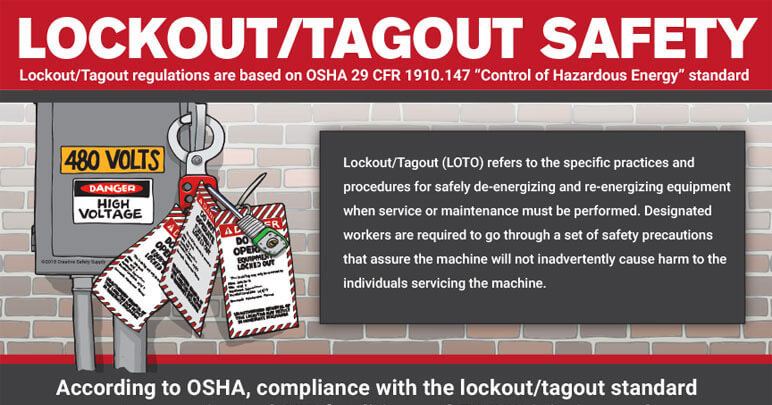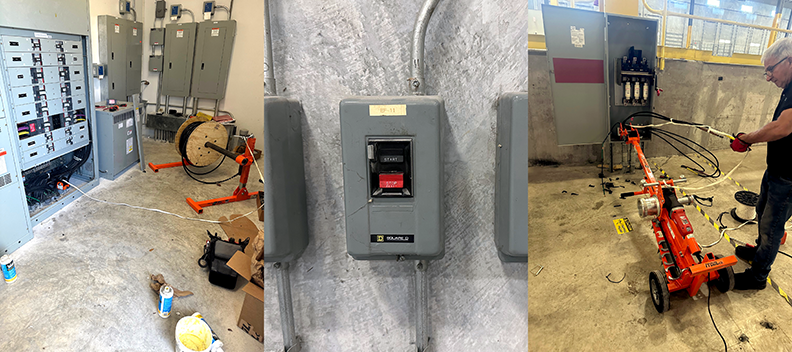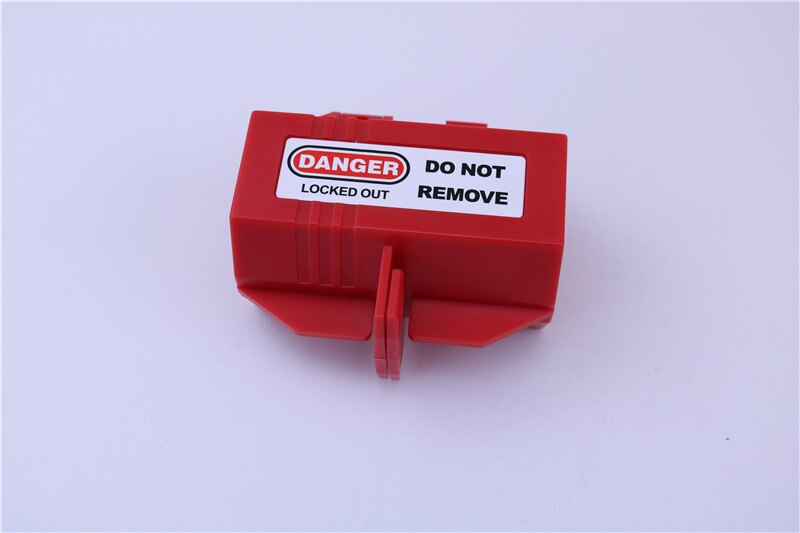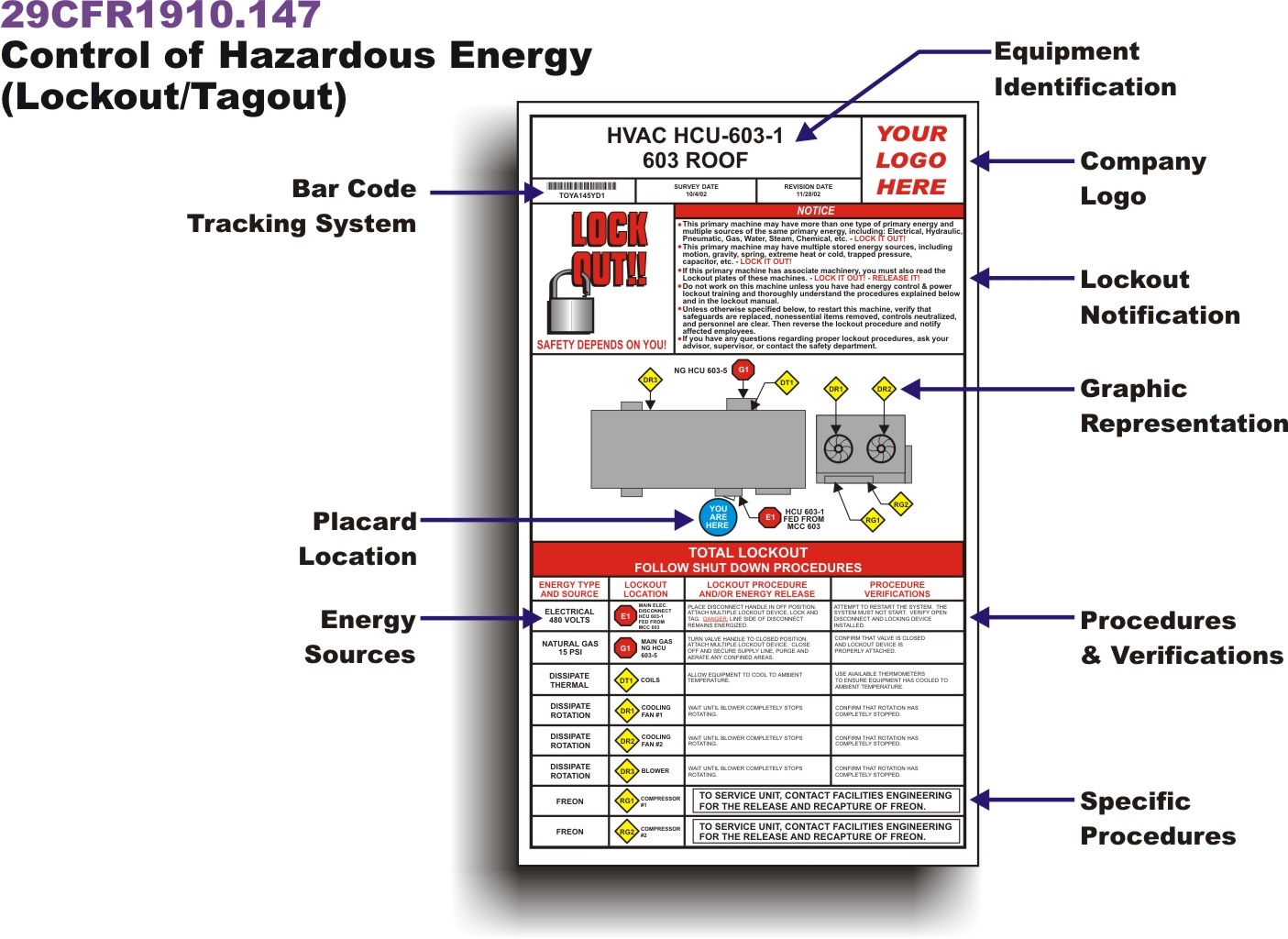
Every industrial facility faces the same silent hazard: uncontrolled energy release during maintenance. A machine powers down, workers assume it’s safe—and one accidental startup leads to injury. That’s where a lockout tagout Excel template becomes more than administrative paperwork. It’s a frontline defense.
The challenge isn’t knowing what to do—it’s ensuring it’s done consistently, documented thoroughly, and auditable under pressure. While OSHA’s energy control standards are clear (29 CFR 1910.147), translating policy into daily practice requires tools that are both rigorous and practical. That’s where Excel steps in.
An effective lockout tagout Excel template turns compliance into action—tracking equipment, authorizing personnel, logging procedures, and flagging deviations—all within a format most teams already use daily. But not all templates are created equal. A poorly designed spreadsheet can create false confidence, while a well-structured one becomes the control center for safety operations.
This guide breaks down what makes a lockout tagout Excel template actually work in real environments—and how to build or choose one that supports, rather than complicates, your safety program.
Why Use an Excel Template for Lockout Tagout?
Spreadsheets get a bad rap in enterprise software circles, but in the real world of maintenance teams, Excel remains the default. It’s accessible, editable, and doesn’t require login credentials or internet access. That makes it ideal for environments where digital tools are still emerging.
A lockout tagout Excel template centralizes key components:
- Equipment lists with energy types (electrical, hydraulic, pneumatic, etc.)
- Authorized employee rosters
- Step-by-step isolation procedures
- Audit and verification logs
- Incident tracking and near misses
When filled correctly, it becomes a living record of compliance. During an OSHA inspection, having a detailed, timestamped LOTO log in Excel can mean the difference between a warning and a citation.
But the real value isn’t in compliance alone—it’s in prevention. A 2022 study by the National Safety Council found that 60% of machinery-related injuries occurred during servicing or maintenance. A structured template forces procedural discipline, reducing human error in high-risk moments.
Key Features of an Effective LOTO Excel Template
Not every spreadsheet labeled “LOTO template” is useful. Many are overly simplistic or so complex they’re abandoned after one use. The best balance clarity with completeness. Here’s what to include:
1. Equipment Master List Each machine or system should be listed with critical identifiers: - Equipment name and ID - Location (plant, floor, zone) - Primary energy source(s) - Associated hazards (crush, burn, arc flash) - Last maintenance date
This sheet acts as your baseline—referenced during procedure creation and audits.
2. Standardized Procedure Builder One of the most overlooked parts of LOTO is consistency in execution. A good template includes a worksheet where step-by-step procedures are documented for each piece of equipment:
- Shut down machine via control panel
- Open disconnect switch
- Apply lock to electrical isolator
- Verify zero energy state using test meter
- Tag with employee name, date, and reason

Each step should be clear, actionable, and testable.
3. Employee Authorization Tracker Only authorized employees can perform LOTO. Your template should track: - Employee name and ID - Training completion date - Certification expiration - Roles (e.g., lead mechanic, safety observer)
This prevents unqualified personnel from initiating or removing locks.
4. Daily LOTO Log A dynamic sheet for real-time use:
- Date and shift
- Equipment serviced
- Employee applying lock
- Time lock applied and released
- Witness or supervisor signature (digital or printed)
This log is your operational history—useful for audits and incident reviews.
5. Audit and Review Dashboard Automate summaries:
- Number of LOTO events per week
- Most frequently serviced equipment
- Missed or incomplete procedures
- Upcoming training renewals
Conditional formatting can highlight overdue items in red, bringing attention to risk areas.
Common Mistakes in LOTO Excel Templates
Even seasoned safety managers fall into traps when designing or using these templates. Avoid these pitfalls:
❌ Using One Template for All Equipment A CNC machine and a conveyor belt have different energy sources and isolation points. Generic templates lead to oversights. Customize procedures per equipment type.
❌ No Version Control Multiple people editing the same file leads to conflicting versions. Use clear file naming (e.g., “LOTO_Template_v3_202504”) and store only one master copy on a shared drive.
❌ Skipping Verification Steps
Many templates list “verify isolation” but don’t define how. Include space for test method (e.g., voltmeter reading) and results.
❌ Forgetting Lock Inventory Tracking Where are your locks? Who has them? A simple lock ID log prevents lost or unreturned locks—common during shift changes.
❌ Relying Solely on Excel for Real-Time Use Excel isn’t designed for mobile field access. Printing forms or using it on a tablet without connectivity creates lag. Use it as a master record, not the only tool.
Top 5 Lockout Tagout Excel Templates (Free & Customizable)
While building your own template offers full control, starting with a solid foundation saves time. Here are five reliable, downloadable LOTO Excel templates—each designed for real-world use.
| Template | Best For | Key Features | Source |
|---|---|---|---|
| OSHA-Compliant LOTO Template (SafetyCulture) | Teams needing OSHA alignment | Equipment logs, procedure builder, audit dashboard | safetyculture.com/resources |
| Free LOTO Excel Template (EHS Docs) | Small to mid-sized facilities | Simple interface, built-in macros for alerts | ehdocs.com/templates |
| Industrial LOTO Pack (Creative Safety Supply) | Manufacturing plants | Color-coded zones, lock inventory sheet | creativesafetysupply.com |
| Maintenance LOTO Tracker (Vertex42) | Facilities using preventive maintenance | Syncs with PM schedules, password-protected sheets | vertex42.com |
| Customizable LOTO Workbook (SafetyPro Resources) | High-risk environments | Integration with JHA, incident reporting tabs | safetyproresources.com |
Each of these templates is editable in Microsoft Excel or Google Sheets. Choose based on your workflow complexity and reporting needs.
Pro Tip: Always test a template with a real maintenance event before rolling it out. Have a mechanic complete a LOTO procedure using the form—note where it’s unclear or too cumbersome.
How to Customize Your LOTO Template for Maximum Impact

Off-the-shelf templates need adaptation. Here’s how to tailor one for your site:
Step 1: Map Your High-Risk Equipment Start with machines involved in past incidents or complex energy systems. Populate the equipment list with photos and isolation points.
Step 2: Define Roles Clearly In the authorization sheet, distinguish between:
- Authorized employees (can apply locks)
- Affected employees (operate equipment but don’t service)
- Supervisors (verify completion)
This avoids confusion during shift handovers.
Step 3: Link to Visual Aids Embed QR codes in printed LOTO logs that link to digital procedure videos or diagrams. Excel supports hyperlinks—use them.
Step 4: Automate Reminders Use Excel formulas to flag:
- Expiring training certifications
- Equipment due for LOTO review (e.g., every 12 months)
- Frequent lockout events indicating maintenance issues
Example formula: =IF(TODAY() > B5, "RENEW TRAINING", "VALID")
Step 5: Print and Post Critical Steps
While the master stays digital, print abbreviated LOTO checklists for machine-side use. Laminate them near control panels.
When Excel Isn’t Enough: Knowing When to Upgrade
Excel works well for small to mid-sized operations. But as complexity grows, limitations emerge:
- No real-time collaboration
- Risk of data corruption
- No mobile optimization
- Limited reporting beyond basic charts
If your facility handles 50+ LOTO events weekly, consider upgrading to a digital LOTO system like: - FacilityBot – Mobile LOTO with GPS verification - Chemical Safety’s LOTO Pro – Full procedure management - Siemens Safety Manager – Integrated with plant SCADA
These platforms offer barcode scanning, digital signatures, and integration with CMMS—but at a higher cost and learning curve.
For most, a well-maintained Excel template strikes the right balance: robust enough to satisfy auditors, simple enough for daily use.
Real-World Use Case: Automotive Parts Plant
At a Midwest automotive stamping facility, maintenance delays were spiking. Investigation revealed inconsistent LOTO practices—locks left on, procedures skipped, poor handover logs.
They adopted a customized Excel LOTO template with: - Equipment-specific isolation steps - Daily digital log (saved to shared drive) - Weekly audit dashboard
Within three months: - LOTO compliance rose from 68% to 94% - Maintenance downtime dropped 22% - Zero LOTO-related incidents in 18 months
The key? The template wasn’t filed away—it was part of every morning safety huddle.
Final Step: Turn Your Template into a Living System
A lockout tagout Excel template only works if it’s used, reviewed, and improved. Don’t treat it as a compliance checkbox.
Schedule quarterly reviews: - Are procedures still accurate? - Are new machines added? - Are employees filling it out properly?
Train new hires using the template as a teaching tool. Let them walk through a mock LOTO event using the form.
And remember: the goal isn’t a perfect spreadsheet. It’s a safer workplace where every lock applied is verified, documented, and respected.
Start with a solid template. Customize it. Use it daily. Improve it monthly.
That’s how Excel becomes more than a tool—it becomes a safety culture enabler.
Frequently Asked Questions
What is a lockout tagout Excel template? It’s a spreadsheet that helps organizations document and manage energy control procedures during equipment maintenance, ensuring compliance and safety.
Can I use a free LOTO Excel template for OSHA compliance? Yes, if it includes all required elements: equipment lists, isolation steps, authorized personnel, and verification logs. Always validate it against your actual processes.
How do I make my LOTO template user-friendly? Use clear headings, conditional formatting, drop-down menus, and printable versions. Test it with frontline workers before rollout.
Should the LOTO Excel file be shared digitally or printed? Use a digital master for tracking and audits, but provide printed checklists for field use. Ensure both are synchronized.
Can Excel track multiple locks on one machine? Yes—design a section where each lock is logged separately with employee name, lock ID, and time applied.
How often should LOTO procedures be reviewed? OSHA requires annual reviews. Use your Excel audit sheet to schedule and document these evaluations.
Is password protection necessary for LOTO Excel files? Recommended for master files to prevent unauthorized edits. Use shared credentials only with supervisors and safety officers.
FAQ
What should you look for in Lockout Tagout Excel Template for Safety Compliance? Focus on relevance, practical value, and how well the solution matches real user intent.
Is Lockout Tagout Excel Template for Safety Compliance suitable for beginners? That depends on the workflow, but a clear step-by-step approach usually makes it easier to start.
How do you compare options around Lockout Tagout Excel Template for Safety Compliance? Compare features, trust signals, limitations, pricing, and ease of implementation.
What mistakes should you avoid? Avoid generic choices, weak validation, and decisions based only on marketing claims.
What is the next best step? Shortlist the most relevant options, validate them quickly, and refine from real-world results.